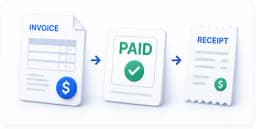
How to Create a Professional Invoice That Gets You Paid Faster
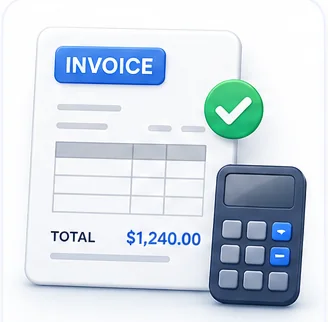
A surprising amount of late payment isn't a customer trying to avoid paying — it's genuine confusion or friction caused by the invoice itself: an unclear due date, a total that doesn't obviously match what was agreed, or missing information that forces the customer's accounts team to chase you for clarification before they can even process it. A well-built invoice removes every one of those excuses.
The fields every invoice actually needs
- A unique invoice number — sequential, never reused. This is how both you and your customer track and reference the document, and it matters for accounting and tax purposes.
- The issue date and a clear, explicit payment due date. "Net 30" only works if the customer knows what date it's counting from — state the actual due date directly rather than making them calculate it.
- Your business name, address, and any required registration or tax ID number.
- The customer's name and billing details, matched exactly to what's on file with them — a mismatch here is a common reason invoices bounce back for correction.
- An itemized breakdown of what's being charged — quantity, description, unit price, and line total for each item, not just a single lump sum.
- Any applicable tax, shown separately from the subtotal, with the rate stated explicitly.
- A clear final total, ideally visually distinct from everything above it so it can't be missed at a glance.
- Your payment details — bank account, payment link, or accepted methods — right there on the document, not something the customer has to ask for separately.
Writing line items that don't need a follow-up question
Vague line items are one of the most common causes of delayed payment, because they force someone on the customer's side to stop and ask "what exactly was this for?" before approving anything. "Consulting services — $2,400" invites a question. "Website redesign — 3 revision rounds, 24 hours — $2,400" doesn't. The extra ten seconds of specificity when writing the invoice can save days of back-and-forth waiting for approval.
Setting payment terms that actually work in your favor
- Agree on payment terms before the work starts, not after — surprising a customer with unfamiliar terms on the invoice itself is a common source of pushback and delay.
- Shorter terms (7 or 14 days) generally get paid faster than 30+ day terms simply because they create more urgency — consider whether your standard terms are longer than they need to be.
- For larger projects, consider invoicing in stages (a deposit, a milestone payment, a final payment) rather than one large invoice at the very end — this improves your cash flow and reduces the size of any single payment that could be delayed.
- State your late payment policy on the invoice itself if you have one, so it's not a surprise raised only after a payment is already overdue.
The professional details that quietly build trust
Consistent branding (your logo, consistent formatting across every invoice you send), correct spelling of the customer's name and company, and a document that looks deliberately designed rather than thrown together all signal that you run things carefully — which, fairly or not, correlates with how seriously customers treat paying you on time. A signed invoice or one accompanied by a formal quotation the customer already agreed to also reduces disputes, since there's a clear paper trail both sides already agreed to.
Common Mistakes
Leaving the due date implicit ("Net 30") instead of stating an actual date
Forcing the customer to calculate the due date themselves introduces ambiguity and delay. State the literal due date directly on the invoice.
Sending an invoice with vague, one-line item descriptions
Vague line items invite a clarifying question before approval, which can add days of delay. Specific, detailed descriptions let the customer's accounts team approve payment without needing to ask you anything.
Not including payment details directly on the invoice
Making the customer request your bank details or payment link separately adds an avoidable extra step — and every extra step is a chance for the payment to stall.
Create a Professional Invoice
Create a professional PDF invoice in seconds. Fill in your details, add items, download.
Frequently Asked Questions
Related Articles
Business Documents
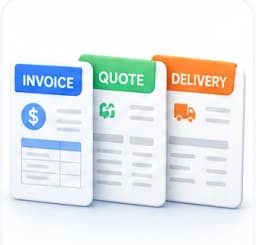
Invoice vs Quotation vs Delivery Note: What's Actually the Difference
Three documents that get confused constantly, each with a completely different legal and practical purpose. Here is exactly when to use which one.
Business Documents
Are Digital Signatures Legally Binding? A Practical Guide
In most parts of the world, yes — with real conditions attached. Here is what actually makes a digital signature enforceable, and where paper still wins.
Workflow Guides
Building a Repeatable Invoice-to-Payment Workflow
From creating the invoice to getting paid, most of the friction in this process is self-inflicted. Here is a repeatable chain that removes it.